
Registering a Domain Name Made Simple with tandohost.co.za
At tandohost.co.za we’ve streamlined the domain registration process to make it quick, easy, and hassle-free. To make things even better, we’ve developed a FREE AI Domain Name Generator that helps you find the ideal domain name and check its real-time availability. You can register your chosen domain immediately without delays.
How to Register a Domain Name
Follow these simple steps to secure your domain:
- Search for Availability
Enter your preferred domain name and desired extension (e.g., .co.za, .com) in the search bar on the Domain Registration page.
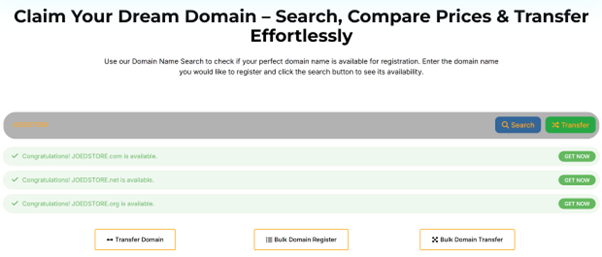
2. Review Your Options
The system will show whether your domain is available and suggest similar alternatives with different extensions. Consider purchasing additional TLDs to protect your brand.
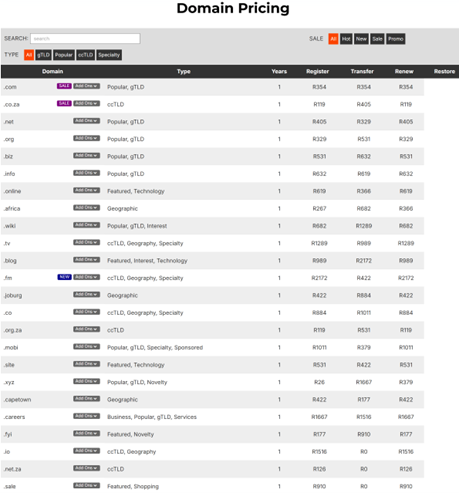
3. Add to Cart
Click Add to Cart and proceed to checkout.
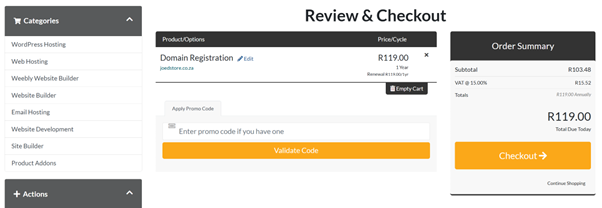
4. Enable Auto-Renewal
Your domain will be set to auto-renew to ensure it never expires, provided your account has a valid payment method.
5. Create or Log in to Your Account
If you’re a new user, create an account. Existing users can log in.
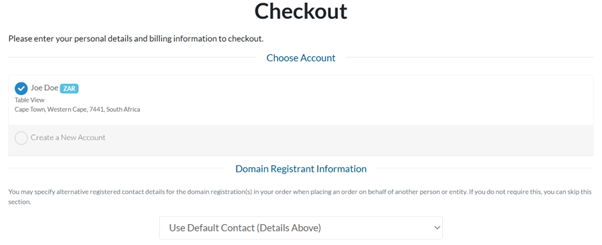
6. Provide Contact Details
Fill in the required registrant information: name, surname, contact details, and business info.
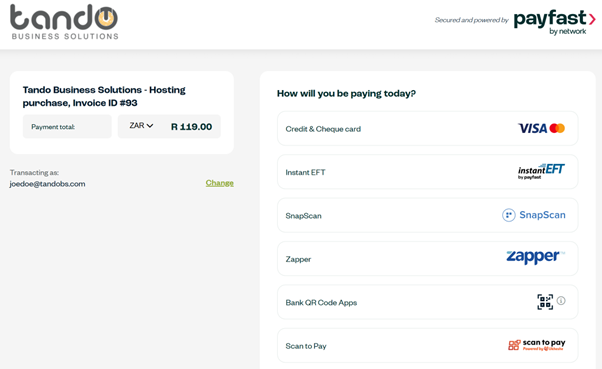
7. Complete Payment
Pay securely through our trusted payment gateway.
Your domain registration will be completed in minutes, provided your details and payment are correct.
What is a Domain Name?
Your domain name is your online address—making it easier for people to find and remember your website. Technically, every website has an IP address (a numeric string), but a domain converts this into an easy-to-read name for users.
A great domain name improves brand awareness, makes your business memorable, and prevents competitors from claiming it.
Checking Availability
Your domain name is the first impression of your brand. Use our search tool to check if it’s available with your chosen extension. If unavailable, try alternative names or extensions like .net, .org, or others.
We also recommend securing similar domains to protect your brand. For tips, read: How To Choose The Best Domain Name: 10 Myths & Tips.
Configuring Your Domain
After purchase, set up your domain to point to your website. This typically involves updating DNS settings such as nameservers, A records, or CNAME records.
How to Log in to Your tandohost.co.za Account
- Go to the Account Login page. Login - TandoHost
- Enter your email and password.
- Click Sign In to access your dashboard.
Disclaimer: Any pricing shown in images is for illustration purposes only and does not reflect actual costs. E&OE.

