
How to Update Your Email Password on an iPhone
Follow these steps to change your email password on your iPhone:
- Open the Settings app. Depending on your device, it may be on a different screen or location.
- Tap Mail, Contacts, Calendars.
- Choose the email account you want to update.
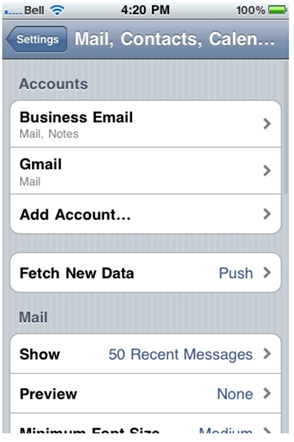
4. Tap the selected email account again to access its settings.
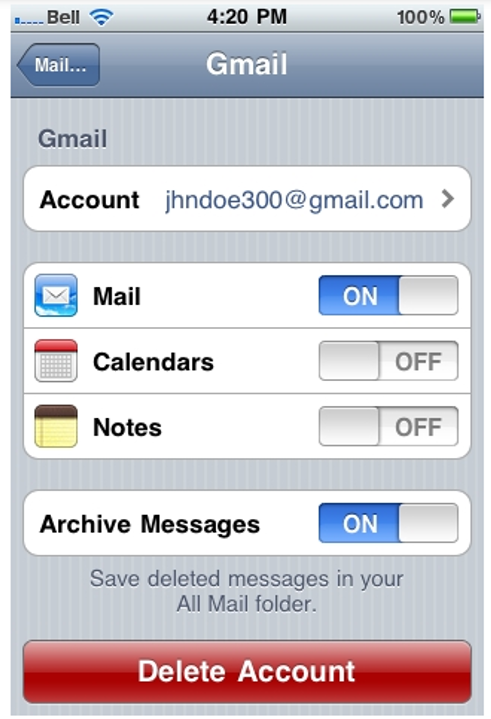
5. Enter your new email password in the designated field.
Note: This step is only necessary if you have changed your email password.
6. Tap Done to save your changes.
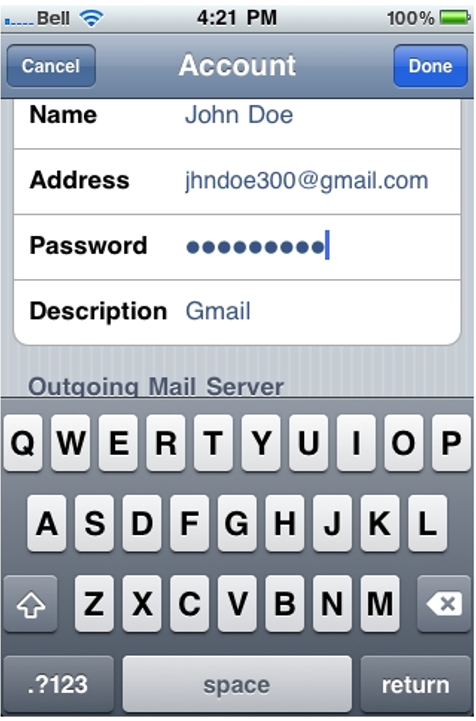
That’s all! Your email password has been updated, and your iPhone will now use the new password to access your account.

