
When using Email Hosting, it’s important to be aware of the built-in email limits and parameters. These restrictions are in place to stop abuse, maintain server efficiency, and ensure reliable email delivery. Ignoring them could result in bounced or delayed messages, or even temporary suspension of your account. At tandohost.co.za understanding your cPanel email limits helps you avoid disruptions and keeps your email communication running smoothly.
Viewing cPanel Email Limits
Here’s how you can find and manage your email restrictions inside cPanel:
- Log in to your tandohost.co.za account Login - TandoHost
2. On the left panel, click Manage Services, then choose Web Hosting.
3. Find your domain name and click Manage.
4. Select Login next to Control Panel to open cPanel.
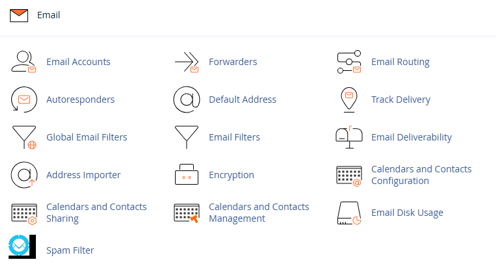
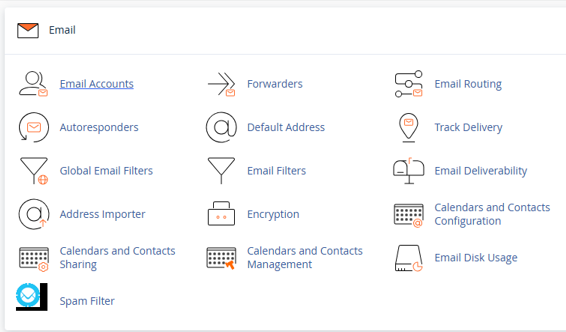
5. Scroll to the Email section and click Email Accounts.
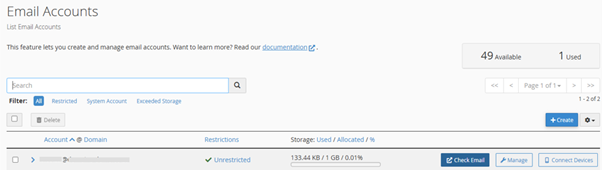
6. Choose the email address you want to check
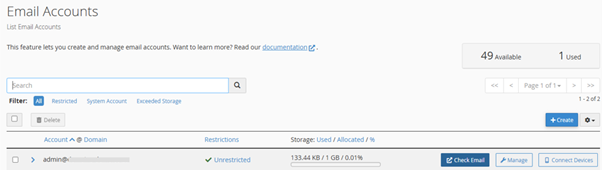
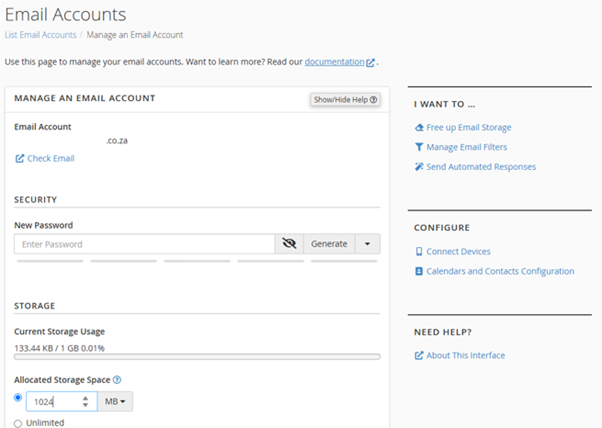
7. Click Manage next to the selected account
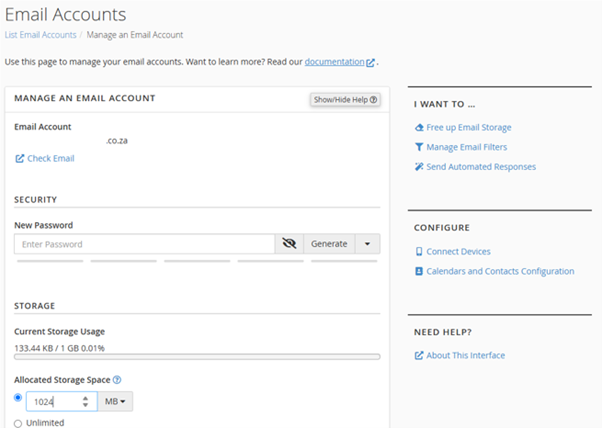
8. You’ll now see the limits and be able to adjust certain parameters.
Key Email Limits and Parameters
- Emails per hour – maximum emails allowed to be sent per domain each hour.
- Recipients per message – number of addresses you can include in a single email.
- Mailbox quota – maximum storage allocated to each email account.
- Attachment size – generally limited to ~25MB per email.
- Daily sending limit – total number of messages per day.
- SMTP restrictions – outbound emails may be blocked if abuse is suspected.
Additional Information
Best Practices for Managing Email Limits
Email restrictions are designed to safeguard your hosting environment and protect your sender reputation. To stay within limits:
- Set custom storage quotas per account in the Email Accounts section.
- Enable SPF, DKIM, and DMARC for stronger deliverability and anti-spam protection.
- Avoid bulk emailing from standard mailboxes—use a professional mailing service instead.
- Monitor your disk usage to avoid blocked incoming messages due to full storage.
- Note: Shared Hosting usually has stricter email rules than VPS or WordPress Hosting.
- Use Autoresponders and Forwarders to streamline communication.
- Regularly review Email Reports under cPanel > Metrics for better oversight.
Troubleshooting Email Hosting Issues
If you experience delivery problems or bounce-backs:
- Use Track Delivery and Email Disk Usage in cPanel to diagnose issues.
- Too many recipients in a single email can trigger spam filters—clean and segment mailing lists.
- Heavy activity may cause a temporary suspension until limits refresh.
- Sending caps reset hourly or daily, depending on the server rule.
- If your requirements exceed the current thresholds, consider upgrading to a higher Email Hosting plan for more capacity.

