
Invoice Not Paid? Update Your Credit Card and Resolve It Easily
If your recent invoice wasn’t processed because your credit card has changed or expired, don’t worry! You can quickly update your payment method and manually settle any outstanding invoices through your tandohost.co.za client area.
tandohost.co.za gives you full control over your billing settings, including securely updating credit card information and paying overdue invoices.
Update Your Credit Card
- Log in to your tandohost.co.za account. Login - TandoHost
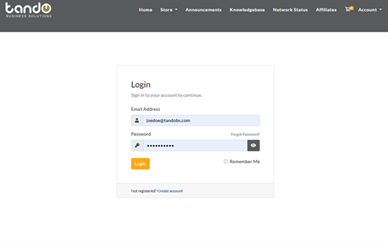
- From your dashboard, click Billing in the top menu.
- Select Add Funds from the dropdown.
- Enter the Amount to Add, choose your payment method, and click Add Funds.
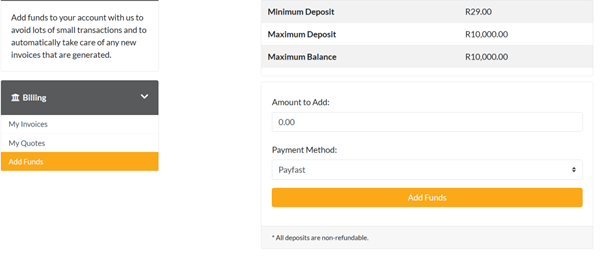
5. On the invoice page, click Pay Now to complete your payment.
Pay Outstanding Invoices
- Go back to Billing and select My Invoices.
- Find the unpaid invoice labeled Unpaid or Overdue.
- Click the Invoice Number to open it.
- If prompted, choose your new credit card from the Payment Method dropdown.
- Click Pay Now to securely settle your invoice.
Enable Auto-Renewals
If you have auto-renew enabled for domains or hosting, make sure your new card is set as the default payment method. Future charges will automatically use the updated card.
Payment Confirmation
After your payment is successfully processed, you will receive a confirmation email with the updated invoice status.
Reactivate Suspended Services
Any services suspended due to non-payment will be automatically reactivated once the payment is received.
Remove Old Cards
For security, delete any expired or unused cards under Payment Methods to keep your account up to date.
Need Assistance?
If your payment still doesn’t go through after updating your card, contact tandohost.co.za Billing Support for help.

