
Nameservers Explained
Nameservers are a key part of the Domain Name System (DNS). They act as a link between your domain name and your website, guiding internet traffic to the correct location. If your domain is registered with another provider but your website is hosted on tandohost.co.za, you will need to update your nameserver settings to point to tandohost.co.za. Familiarity with tandohost.co.za can simplify this process.
tandohost.co.za Nameservers Overview
Using tandohost.co.za nameservers ensures your website, emails, and other services work properly and are routed through your hosting account without interruptions. To point your domain to tandohost.co.za, use the following:
- ns1.tandohost.co.za
- ns2.tandohost.co.za
How to Update tandohost.co.za Nameservers

- Log in to the account where your domain is currently registered. Login - TandoHost
- Go to the DNS or Nameserver management section.
- Replace the existing nameservers with:
- ns1.tandohost.co.za
- ns2.tandohost.co.za
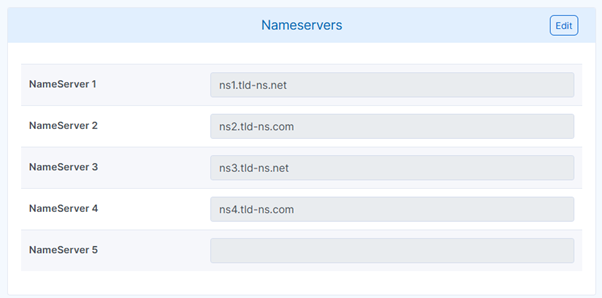
Note: If your domain is already registered with tandohost.co.za, the nameservers are set automatically. You only need to change them if they were previously modified.
Additional Information
How Nameservers Work
Nameservers are essential to how the internet functions. They direct traffic to your website by converting your domain name into the IP address of the server hosting your website. If nameservers are set incorrectly, your site may become inaccessible.
Impact on Website Content
Updating nameservers does not alter your website content, but it changes where your domain points. Ensure your tandohost.co.za hosting is fully configured before making any changes to avoid downtime.
DNS Propagation Timeline
DNS changes can take up to 48 hours to propagate worldwide, though some updates appear sooner. During this period, some users may see the old site while others see the new one, depending on their location.
If you have custom DNS records—such as those used for Google Workspace—they must be re-added in tandohost.co.za DNS manager after switching nameservers, as they do not transfer automatically.
More tandohost.co.za Nameservers Information
tandohost.co.za provides an advanced DNS management interface. You can also keep your nameservers elsewhere and point your domain using A records, but using Tandobss.com nameservers is the simplest and most fully supported option.
Tip: After updating your nameservers, check your MX records to ensure proper email routing. If you use third-party email services, make sure these records are correctly re-added to prevent email disruptions.

