
A Domain Registry and Its Role in the DNS Ecosystem
A Domain Registry plays a crucial part in maintaining the stability and functionality of the Domain Name System (DNS). It has a distinct responsibility within the domain name ecosystem.
Registries manage the technical framework that powers the DNS and handle IP address delegation. They work behind the scenes, while Registrars serve as the public-facing interface.
Registrars maintain authoritative databases for specific top-level domains (TLDs), managing the registration details that link domain names to their IP addresses.
A Domain Registrar’s primary role is to assist customers with domain name registration and provide direct support to individuals and businesses.
Acting as intermediaries, Registrars make it possible for people and companies to purchase, renew, and manage domain names. They also provide related services such as domain availability checks, transfers, and renewals. Additional Information
If you’re new to domain names and web hosting, the difference between a Registrar and a Registry can be a bit confusing. Here’s a quick breakdown:
Domain Registrar
A Domain Registrar is an accredited company that acts as the bridge between the public and the Registry for various TLDs and gTLDs. Registrars ensure that domain owners comply with all relevant policies and regulations. Many Registrars also work with resellers who must follow the Registry’s rules.
Registrar Accreditation
To operate, Registrars must be accredited by ICANN (Internet Corporation for Assigned Names and Numbers). This accreditation authorizes them to register, renew, and transfer domain names, as well as manage DNS records for those domains.
Domain Registry
A Domain Registry interacts only with Registrars. It maintains the authoritative database of all registered domain names, manages IP address delegation, and updates DNS infrastructure. Once a Registrar submits domain information on behalf of a customer, the Registry records it in a central database.
Domain Pricing & Rules
The Registry determines the pricing structure and rules for each domain extension, manages the DNS, and ensures the uniqueness and validity of all domains.
Here’s how to use it:
- Visit tandohost.co.za and click the Domains tab on the homepage. Select AI Domain Name Generator.
- Enter up to 10 keywords related to your desired domain. Separate each keyword with a comma or press Tab, then click Generate Results.
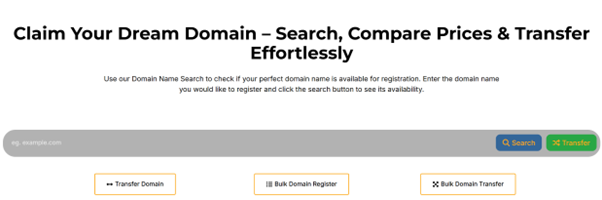
3.Browse the suggested available domains based on your keywords.
4. Choose your preferred domain name, click Add to Cart, and then select Checkout.
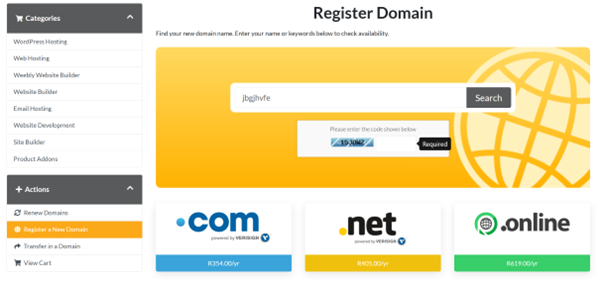
5. Create a new account or log in to your existing one.
6. Complete the registration form and submit.
7. Proceed to the secure payment gateway to finalize your purchase.
8. Once payment is confirmed and details are verified, your domain will be officially registered to you.

