
People registering their first domain name for an SME (Small and Medium Enterprise) often wonder who truly owns the domain when it’s purchased through a registrar or ISP. The answer is simple: you are the legal owner of the domain once it’s registered in your name, not the ISP, hosting company, or domain registrar. As the registrant, you have full ownership rights and can transfer your domain to any provider whenever you
Who Owns a Domain?
When you register a domain through an Internet Service Provider (ISP) or an accredited domain registrar, you are officially recognized as the domain owner for the entire registration period. Ownership is tied to the contact details you provide at the time of registration.
Most Top-Level Domains (TLDs), such as .com or .org, allow registration for varying terms—commonly 1, 2, 5, or 10 years—depending on the extension’s specific requirements.
How to Check Who Owns a Domain
Every domain registration requires accurate contact details, including the registrant’s name, address, email, and phone number. This data is stored by the registrar and is typically available through the public WHOIS database.
To check domain ownership, you can use tools like:
- WHOIS Lookup
- ICANN Lookup
- IANA WHOIS
Keep in mind that some registrants enable Privacy Protection or fall under GDPR compliance, which hides certain personal details from public view.
How to Register a Domain Name
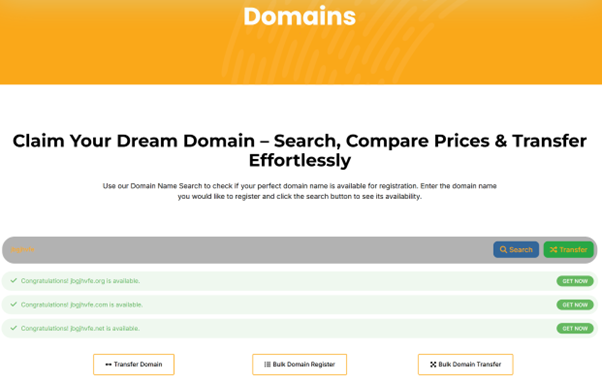
Registering a domain is straightforward, but choosing the right name and a trusted registrar is crucial. You’ll need to provide accurate contact details and decide the registration term. Many providers offer helpful features like privacy protection, DNS management, and email services.
Domain Management
As the registrant, you have administrative authority over your domain. This includes:
- Updating DNS records
- Managing email configurations
- Adjusting settings via the registrar’s control panel
Selecting a reputable registrar or ISP is essential. Always review their terms of service, renewal policies, and transfer procedures before committing.
Domain Renewals
To maintain ownership, your domain must be renewed before its expiration date. Registrars and ISPs are required by ICANN regulations to send multiple renewal reminders to your registered email address.
Failing to renew on time means the domain will lapse and become available for public registration.
Domain Transfers
As the rightful owner, you can transfer your domain to another provider at any time. Transfers typically require:
- Clearing any outstanding fees
- Requesting an Authorization Code
- Following the new provider’s transfer steps
Some providers require up to 30 days’ notice for transfers.
Domain Registries
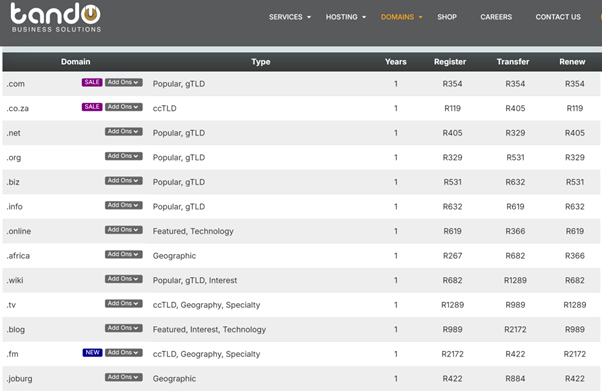
Domain registries maintain databases for specific TLDs, such as .com or country-code domains like .us. Your registrar acts as the intermediary, submitting your ownership details to the appropriate registry.
The Domain Name System (DNS)
The DNS acts like the internet’s phone book. It converts easy-to-remember domain names into IP addresses, allowing browsers to connect to the correct web servers. Without DNS, users would need to remember numeric IP addresses for every website.
The WHOIS Database
The WHOIS database stores registrant details and ensures each domain is unique. It is publicly searchable, allowing users to check domain availability, ownership information, and renewal dates.
To keep control of your domain, verify that your contact details are correct in WHOIS records.
Tip: Always enable domain privacy where possible and keep your registration details up to date.

