
- Visit Our Website
Go to www.tandohost.co.za. - Navigate to the Website Builder
At the top menu, select Services, then click Hosting, and choose Website Builder.

- Choose a Package
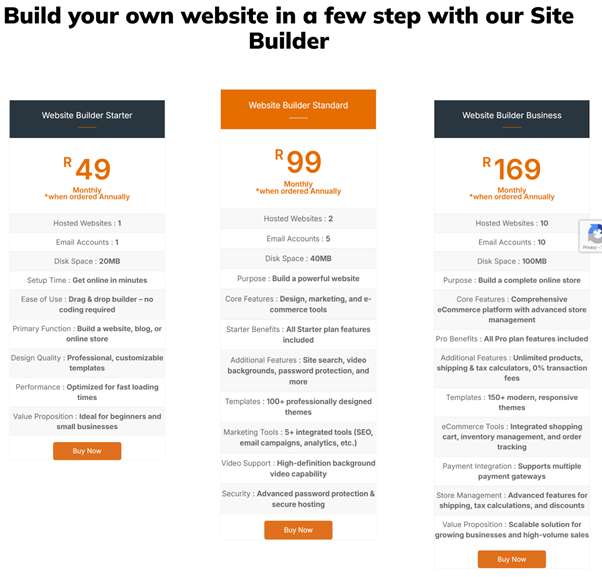
Scroll down to view the available packages and select the one that best suits your needs.
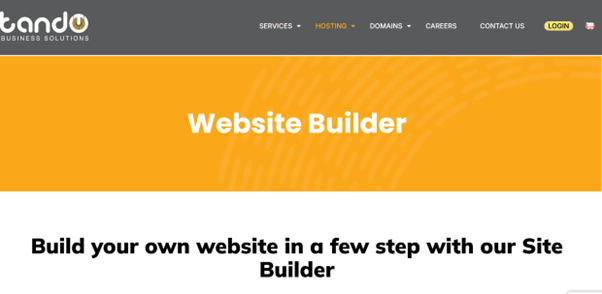
(Disclaimer: prices subject to change yearly)
- Enter Your Domain Name
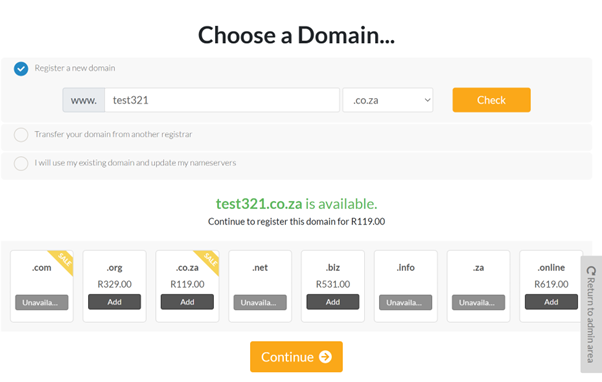
Type in the domain name (the internet address you’d like for your website) and click Check to see if it’s available.- If it’s available, click Continue to proceed.
5. Skip Additional Options
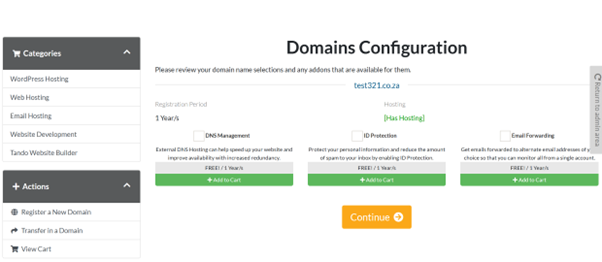
You can simply click Next through the following steps, as the additional options are not required.
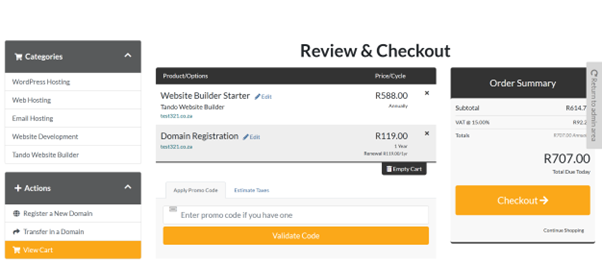
- Review Your Checkout Page
Ensure that all your details are correct before proceeding to payment.
- Complete Your Order
Enter your billing details and click Complete Order to finalize your purchase.
If you experience any issues or need assistance at any step, please don’t hesitate to contact us — We will be happy to help.

