
How to Include PHP Code in HTML Pages
Incorporating PHP into your HTML pages lets you add dynamic features—like contact forms, content includes, or date and time functions—without changing your file structure. This is especially helpful for developers who prefer to keep using .html files while leveraging PHP’s server-side capabilities.
At tandohost.co.za, our web hosting plans fully support PHP. With just a few simple adjustments, you can enable PHP code execution in your .html files and unlock powerful functionality for your website—without the need to rename every file to .php.
How to Include PHP Code in .html Pages
- Login to your tandohost.co.za account. Login - TandoHost
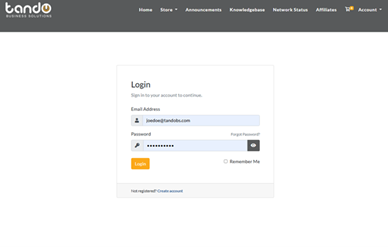
2. Select your hosting plan and click Manage next to your domain.
3. Click Login next to Control Panel to open the cPanel dashboard.

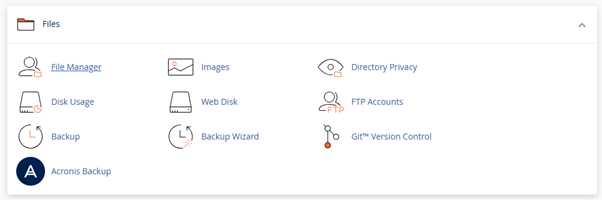
4. Go to File Manager under the Files section.
5. Navigate to your website’s root directory (public_html).
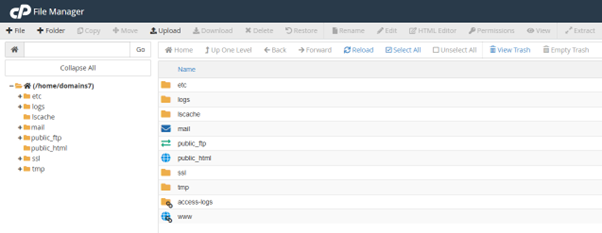
6. Locate the .htaccess file. If it doesn’t exist, create it by right-clicking → Create New File and name it .htaccess.
7. Right-click the .htaccess file and select Edit.
8. Add this line at the bottom of the file:
9. AddType application/x-httpd-php .html .htm
10. Save your changes. This tells the server to process .html and .htm files as PHP scripts.
11. Open any .html file and insert PHP code where needed. For example:
<?php echo "Today is " . date("l, F jS Y"); ?>
- Open the page in your browser. Your PHP code will now execute inside the .html file.
Additional Information
What Is PHP?
PHP (Hypertext Preprocessor) is a widely used open-source, server-side scripting language for web development.
When a user visits a website, the browser sends a request to the server. If the request is for a PHP file, the server executes the PHP code, generates dynamic content (usually HTML), and sends it back to the browser. The browser then renders the final HTML, CSS, and JavaScript for the page.
PHP is essentially the “brain” of a website. It handles logic, interacts with databases, and generates the HTML that users see—enabling websites to be interactive and dynamic rather than static.
Why Include PHP in .html Pages?
- No Need to Rename Files: You can keep your existing .html URLs, preventing broken links and preserving SEO.
- Server Compatibility: Most web servers, including Apache (used by Domains.co.za), can be configured to process .html files as PHP via a simple .htaccess rule.
- Immediate Effect: Changes in .htaccess usually take effect instantly, with no need to restart the server.
- Efficient Code Reuse: You can use PHP’s include or require functions to reuse code blocks (like headers, footers, or menus) across multiple pages. Updating a single file updates it everywhere it’s included.
While the standard approach is to use .php files for PHP development, enabling PHP in .html files is a practical solution for adding dynamic features to existing static pages or maintaining URL structures.

