
Yes, you will receive WordPress email accounts when you choose WordPress Hosting from tandohost.co.za. These email accounts are linked to your domain name.
At tandohost.co.za, we’ve designed our hosting environment with performance in mind. For this reason, we keep WordPress Hosting and Email Hosting on separate servers. This ensures your WordPress website remains fast, secure, and responsive at all times.
WordPress Email Accounts
When you sign up for WordPress Hosting with tandohost.co.za, you get email accounts associated with your domain. This means you can create custom email addresses like info@yourdomain.com or contact@yourdomain.com.
To maintain top performance, your website and email services run on separate resources. Email services can be resource-heavy, so separating them helps keep your site fast and efficient.
Keep in mind:
- Email traffic counts toward your monthly bandwidth usage. Every email sent or received uses some of your allocated bandwidth.
- Disk space for your hosting plan is shared between your website files and emails. Over time, emails can take up significant space, so archiving old emails regularly is recommended.
- Proper email management is key to preventing emails from using too much disk space or bandwidth, which could affect your site’s performance.
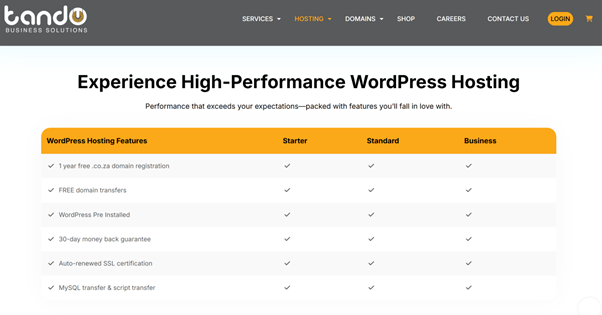
Additional Information: Extra Email Storage
As your business expands and you create more email accounts for staff or departments, you may need additional storage.
tandohost.co.za offers affordable Email Hosting packages to give you extra space without affecting your WordPress resources. These packages include:
- Webmail Access
- Spam Filtering
- Email Forwarding & Autoresponders
- POP3 & IMAP Support for clients like Outlook, Gmail, and Apple Mail
- Free Email SSL Certificate for secure, encrypted communication
All email services are managed easily through cPanel, included with our hosting plans.
How to Login to Your tandohost.co.za Account
- Visit the tandohost.co.za Login Page. Login - TandoHost
- Enter your registered Email Address and Password.
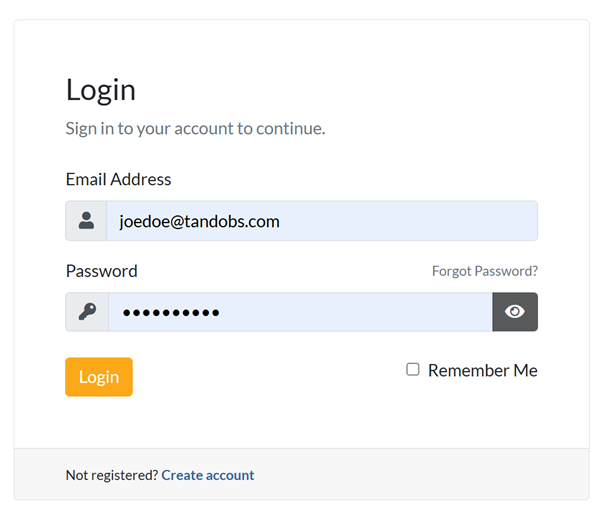
3. Click Sign In to access your account.
Access WordPress via cPanel
- In your Dashboard, go to Log in to cPanel. Under Your Active Products/Services

- In the Product Information section, click Login next to Control Panel.
- Inside cPanel, find and select WP Toolkit or WordPress Management.
- You can also access WordPress from the Popular Applications section.
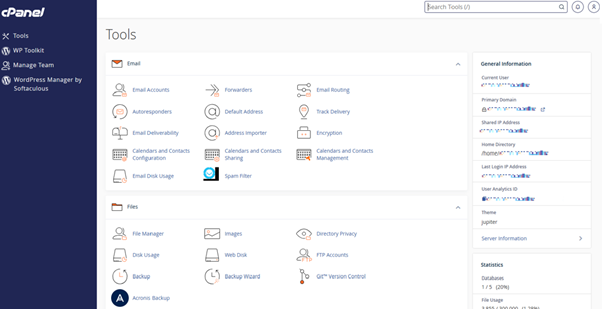
Access WordPress Directly from cPanel Online
- Go to your cPanel Login URL.
- Enter your Email and Account Password, then click Log In.
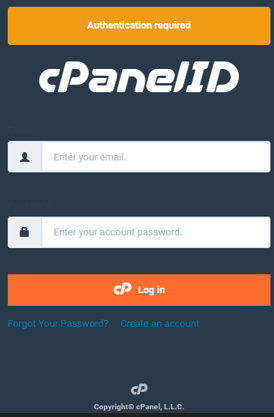
3. From the cPanel dashboard, select WP Toolkit or WordPress Management.

