
Backing Up Your WordPress Website with tandohost.co.za
Regular website backups are essential to protect your data. With tandohost.co.za, your WordPress website can be safeguarded against theft, corruption, or accidental deletion. All WordPress Hosting plans include daily automated Acronis backups stored securely off-site, allowing you to restore your site instantly. If you need help restoring your website, our Support Team is ready to assist you.
How to Back Up a WordPress Website
Even though automatic backups are included in your hosting plan, you can also manually back up your site using:
- Backup Plugins
WordPress plugins can simplify backups by letting you schedule automatic backups, select storage options, and restore your site easily. Popular options include:
- Updraft Plus
- Back WPup
- Duplicator
All are available in the WordPress plugin library.
- Hosting Control Panel (cPanel)
Most hosting providers, including tandohost.co.za, provide tools in cPanel to create manual backups. This typically involves downloading your website files and database to your computer or an external device for safekeeping.
Backing Up a website via cPanel
Follow these steps to manually backup your site through cPanel:
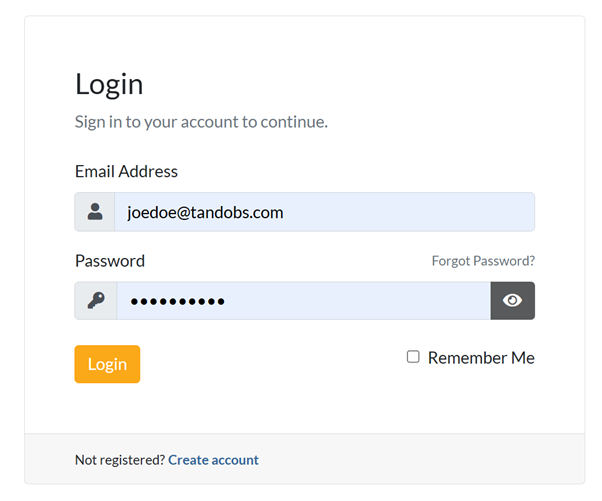
- Log in to your tandohost.co.za account with your email and password. Login - TandoHost
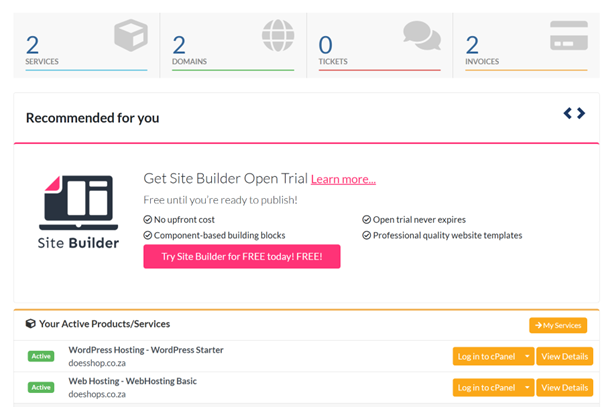
2. Navigate to Active Products/Services, select WordPress log in to Control Panel.
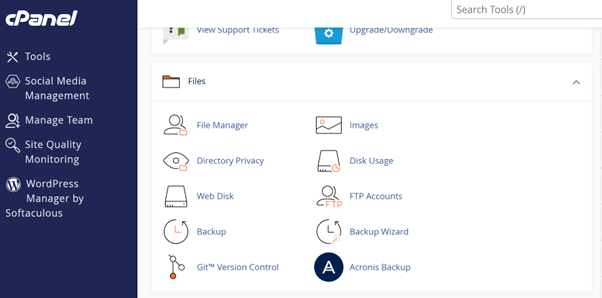
3. In cPanel, navigate to Backup Manager in the Files section.
4. Choose the type of backup: full site or specific parts (home directory, databases).
5. Start the backup process.
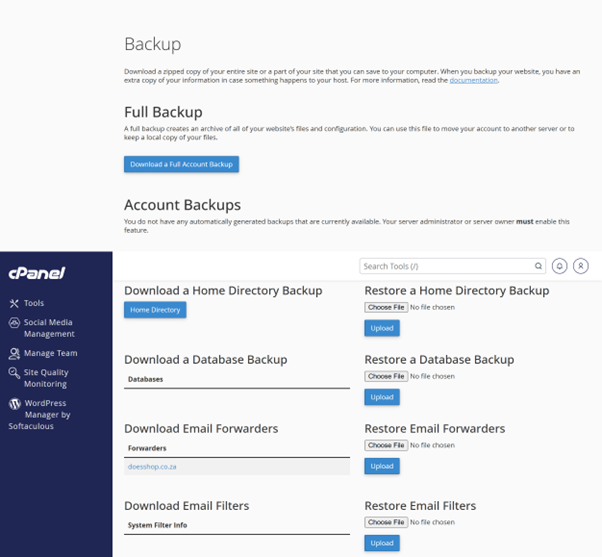
6. Optionally, download the backup to your local device for extra security.
Why Backups Are Important
Regular backups help protect your website against:
- Data Loss: Quickly restore files after accidental deletion, server crashes, or hacking.
- Malware Recovery: Restore a clean version if your site is compromised.
- Safe Updates: Backups ensure you can revert changes when updating WordPress, themes, or plugins.
- Peace of Mind: Focus on growing your website without fear of losing your work.
tandohost.co.za WordPress Backup Support
Our services ensure your WordPress website is secure:
- Daily Acronis Backups: Automatic daily backups for your peace of mind.
- Expert Assistance: Our Support Team helps with backup and restoration issues.
- User-Friendly Tools: Designed for all users, regardless of technical skill.
Accessing WordPress via cPanel
- Go to Your Product/Services
- Click Login next to Control Panel.
3. On the cPanel Dashboard, select WP Toolkit or WordPress Management.
4. Alternatively, use the WordPress icon under Popular Applications.
Accessing WordPress Online via cPanel
- Go to your cPanel login page.
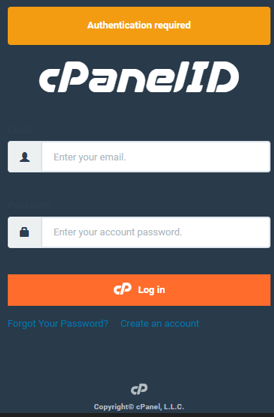
- Enter your email and account password, then click Log In.
3. From the dashboard, select WP Toolkit or WordPress Management, or use the WordPress icon under Popular Applications.

